
• RETURN YOUR RENTAL
  • SIGN IN TO YOUR ACCOUNT
  • MARKETPLACE
  • HELP DESK
CART

(0) items

FREE SHIPPING on orders over $59!
Details.
Cheap Textbooks | Used Textbooks | Textbook Rental | Sell Textbooks | eTextbooks
  • Rent
    Textbooks
  •  
  • Buy
    Textbooks
  •  
  • Sell
    Textbooks
  •  
  • eTextbooks
  •  
  • Books
  •  
  • College Clothing
Adobe Indesign CS6 : Learn by Video,9780321840691

Adobe Indesign CS6 : Learn by Video

by video2brain, .; McCathran, Kelly
Edition:
1st
ISBN13:

9780321840691

ISBN10:
0321840690
Format:
VHS
Pub. Date:
1/1/2013
Publisher(s):
Adobe Press
  • Other versions by this Author
List Price: $64.99

Rent Book

(Recommended)
 
Term
Due
Price
Short Term
Aug 2
$51.99
Semester
Oct 1
$58.49
Quarter
Aug 22
$55.24
Due back on
$51.99

Buy New Book

Currently Available, Usually Ships in 24-48 Hours
$55.24

Used Book

We're Sorry
Sold Out

eBook

We're Sorry
Not Available

More New and Used
from Private Sellers
Starting at $39.25

Questions About This Book?

Why should I rent this book?
Renting is easy, fast, and cheap! Renting from eCampus.com can save you hundreds of dollars compared to the cost of new or used books each semester. At the end of the semester, simply ship the book back to us with a free UPS shipping label! No need to worry about selling it back.
How do rental returns work?
Returning books is as easy as possible. As your rental due date approaches, we will email you several courtesy reminders. When you are ready to return, you can print a free UPS shipping label from our website at any time. Then, just return the book to your UPS driver or any staffed UPS location. You can even use the same box we shipped it in!
What version or edition is this?
This is the 1st edition with a publication date of 1/1/2013.
What is included with this book?
  • The New copy of this book will include any supplemental materials advertised. Please check the title of the book to determine if it should include any CDs, lab manuals, study guides, etc.
  • The Rental copy of this book is not guaranteed to include any supplemental materials. You may receive a brand new copy, but typically, only the book itself.

Related Products


  • Adobe InDesign CC Learn by Video
    Adobe InDesign CC Learn by Video
  • Adobe InDesign CS5: Learn by Video
    Adobe InDesign CS5: Learn by Video


Summary

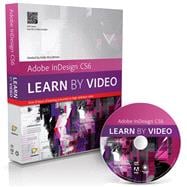
This innovative product from Adobe Press and video2brain combines interactive video and a full-color printed reference to teach the fundamentals of InDesign CS6. Experienced instructor Kelly McCathran presents 9 hours of high quality HD video, complete with lesson files, assessment quizzes and review materials. The video is wrapped in a unique interface that allows the viewer to jump to any topic and also bookmark individual sections for later review. The unique Watch-and-Work mode shrinks the video into a small window to allow the student to work alongside in InDesign. Project files used in the lessons are included on the disc so viewers can practice what they've learned, and interactive review questions help reinforce freshly gained knowledge. The DVD-ROM is bundled with a printed brook that provides supplemental material to enhance the video training.

Author Biography

video2brain, located in Graz, Austria, is a company focused on producing high-quality video training content for software, photography and programming topics. Crucial to the flexible training are optimized teaching methods, practical tips from well-known industry experts, and the focus on learning by doing with project files. Video2Brain is an Adobe Certified Training Provider.


Kelly McCathran has been teaching Adobe applications since 1992 and computer classes since 1989. She’s an Adobe Certified Instructor in InDesign, Photoshop, Illustrator, Acrobat, and PageMaker. Kelly has traveled North America and abroad, teaching applications to the largest printshops and ad agencies in the world.


Table of Contents

1    The InDesign Interface and Workspace
1.1    InDesign’s Workspace
1.2    Using InDesign’s Tools
1.3    Navigating Documents and Panels
1.4    Setting the Best Preferences
1.5    Building a New Document and Saving a Preset
1.6    Creating and Formatting Text
1.7    Changing Text Color and Paragraph Settings
1.8    Working with Graphics
1.9    Working with Frames

2    InDesign Project Explorations
2.1    Placing and Formatting Text
2.2    Intro to Paragraph Styles
2.3    More Paragraph Styles
2.4    Editing Styles for Global Updates
2.5    Master Pages and Page Numbers
2.6    Creating or Adding Columns
2.7    Placing Images and Wrapping Text
2.8    Creating Letterhead
2.9    Building a Newsletter
2.10    Adding a Table of Contents and Jump Page Numbers
2.11    Using Selection Tools
2.12    Placing, Scaling, and Aligning Several Images with Multi-Place
2.13    Creating the Front of a Postcard
2.14    Creating the Back of a Postcard

3    Color Me Happy
3.1    Creating Colors and Adding Swatches
3.2    Creating a “Color Story” with the Kuler Panel
3.3    Adding “Spot” or Pantone® Colors
3.4    Drawing with Shapes and Lines
3.5    Creating Gradients
3.6    Creating Special Effects
3.7    Building Object Styles
3.8    Using a Clipping Path or Silhouette to Create Depth

High-End Text Handling
4.1    Building Character Styles
4.2    Creating Nested Styles
4.3    Nested Styles for the Power User
4.4    removing Text Formatting and relinking Word Styles to InDesign Styles
4.5    Hyphenation Settings and Widow/Orphan Control
4.6    Setting Tabs
4.7    Moving Beyond the Basic Tab Settings
4.8    Favorite Typography Keyboard Shortcuts
4.9    Using Find Font to replace Missing Fonts
4.10    Custom Bullets and the Glyphs Panel

All About Pages
5.1    Using Custom Page Numbers
5.2    Creating a Section
5.3    Building a Table of Contents
5.4    Creating Facing-Page (Spread) Layouts
5.5    Building Libraries for Frequently Used Content
5.6    Working with Multiple Master Pages and referenced Master Pages
5.7    Unlocking and resetting Master Page Items
5.8    Adding Layers to Your Document
5.9    Isolating, Moving, and Selecting objects with Layers
5.10    Layout Adjustment
5.11    Using Liquid Layout
5.12    Alternate Layouts

6    Fun with Images
6.1    Dragging and Dropping from Mini Bridge
6.2    Dynamic Captions and Adobe Bridge
6.3    Creating a Clipping Path (Silhouette)
6.4    The Align Panel
6.5    The Pathfinder Panel
6.6    Anchored Objects
6.7    The Links Panel
6.8    The Content Collector and Content Placer Tools

7    Book Features
7.1    Creating Document Templates
7.2    Building a Book
7.3    Synchronizing Colors and Styles in a Book
7.4    Building a Table of Contents for a Book
7.5    Creating Folding Spreads

8    Dynamic Content
8.1    Creating Hyperlinks and Building Buttons
8.2    Building Document-Wide Navigation
8.3    Animating Content
8.4    Creating Motion Paths
8.5    Adding Object States

9 Output
9.1    Preflight and Packaging
9.2    The Separations Preview and Ink Manager Panels
9.3    Printing
9.4    InDesign Color Settings
9.5    Exporting to PDF and Loading PDF Settings


Please wait while the item is added to your cart...
Online Bookstore | VeriSign Service
  • Affiliate Program
  • Browse Book Categories
  • Bulk Orders
  • Buy Textbooks
  • Careers
  • College Clothing
  • Contact Us
  • eCampus Blog
  • eCampus Coupons
  • Gift Certificates
  • Help Desk
  • Link to Us
  • Marketplace
  • Media
  • Order Status
  • Our Bookstores
  • Press
  • Rent Textbooks
  • Return Policy
  • Sell Textbooks
  • Shipping
  • Site Map
  • Terms & Conditions
  • Virtual Bookstores
Hacker Safe Certified Site

Need Help?

Copyright © 1999-2013

  • PayPal