
More New and Used
from Private Sellers
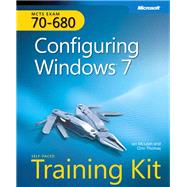
MCTS Self-Paced Training (Exam 70-680) Kit : Configuring Windows 7:Configuring Windows 7
by Thomas, OrinISBN13:
9780735627086
ISBN10:
0735627088
Format:
Hardcover
Pub. Date:
10/21/2009
Publisher(s):
Microsoft Pr
List Price: $69.99
Rent Book
(Recommended)Term
Due
Price
Short Term
Aug 2
$38.49
Semester
Sep 29
$45.49
Quarter
Aug 20
$41.99
$38.49
Buy Used Book
Usually Ships in 3-5 Business Days
$45.49
Buy New Book
In Stock Usually Ships in 24 Hours
$59.49
eBook
We're Sorry
Not Available
Questions About This Book?
Why should I rent this book?
Renting is easy, fast, and cheap! Renting from eCampus.com can save you hundreds of dollars compared to the cost of new or used books each semester. At the end of the semester, simply ship the book back to us with a free UPS shipping label! No need to worry about selling it back.
How do rental returns work?
Returning books is as easy as possible. As your rental due date approaches, we will email you several courtesy reminders. When you are ready to return, you can print a free UPS shipping label from our website at any time. Then, just return the book to your UPS driver or any staffed UPS location. You can even use the same box we shipped it in!
What version or edition is this?
This is the edition with a publication date of 10/21/2009.
What is included with this book?
- The New copy of this book will include any supplemental materials advertised. Please check the title of the book to determine if it should include any CDs, lab manuals, study guides, etc.
- The Used copy of this book is not guaranteed to inclue any supplemental materials. Typically, only the book itself is included.
- The Rental copy of this book is not guaranteed to include any supplemental materials. You may receive a brand new copy, but typically, only the book itself.
Summary
Announcing an all-new SELF-PACED TRAINING KIT designed to help maximize your performance on 70-680, the required exam for the new Microsoft Certified Technology Specialist (MCTS): Windows 7, Configuration certification. This 2-in-1 kit includes the official Microsoft study guide, plus practice tests on CD to help you assess your skills. It comes packed with the tools and features exam candidates want most-including in- depth, self-paced training based on final exam content; rigorous, objective-by-objective review; exam tips from expert, exam-certified authors; and customizable testing options. It also provides real-world scenarios, case study examples, and troubleshooting labs to give you the skills and expertise you can use on the job. Work at your own pace through the lessons and lab exercises. This official study guide covers installing, upgrading, and migrating to Windows 7; configuring network connectivity, applications, and devices; implementing backup and recovery; configuring User Account Control (UAC), mobility options, and new features such as Direct Access and Branch Cache; and managing system updates.
Table of Contents
| Acknowledgments | |
| Introduction | |
| Install, Migrate, or Upgrade to Windows 7 | |
| Configuring System Images | |
| Deploying System Images | |
| Managing Devices and Disks | |
| Managing Applications | |
| Network Settings | |
| Windows Firewall and Remote Management | |
| BranchCache and Resource Sharing | |
| Authentication and Account Control | |
| DirectAccess and VPN Connections | |
| BitLocker and Mobility Options | |
| Windows Update and Windows Internet Explorer | |
| Monitoring and Performance | |
| Recovery and Backup | |
| Answers | |
| Glossary | |
| System Requirements | |
| Table of Contents provided by Publisher. All Rights Reserved. |
CART


