

rent-now

Rent More, Save More! Use code: ECRENTAL

5% off 1 book, 7% off 2 books, 10% off 3+ books

9781119782612

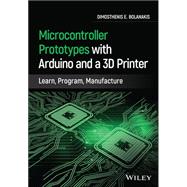
Microcontroller Prototypes with Arduino and a 3D Printer Learn, Program, Manufacture

by Bolanakis, Dimosthenis E.
  • ISBN13:

    9781119782612

  • ISBN10:

    1119782619

  • eBook ISBN(s):

    9781119782681

  • Edition: 1st
  • Format: Hardcover
  • Copyright: 2021-04-05
  • Publisher: Wiley
  • Purchase Benefits
List Price: $110.88 Save up to $11.28
  • Buy New
    $110.77
    Add to Cart Free Shipping Icon Free Shipping

    PRINT ON DEMAND: 2-4 WEEKS. THIS ITEM CANNOT BE CANCELLED OR RETURNED.

Summary

Microcontroller Prototypes with Arduino and a 3D Printer

Discover a complete treatment of microcomputer programming and application development with Arduino and 3D printers

Microcontroller Prototypes with Arduino and a 3D Printer: Learn, Program, Manufacture delivers a comprehensive guide to learning microcontrollers that’s perfectly suited to educators, researchers, and manufacturers. The book provides readers with a seasoned expert’s perspective on the process of microcomputer programming and application development. Carefully designed and written example code and explanatory figures accompany the text, helping the reader fully understand and retain the concepts described within.

The book focuses on demonstrating how to craft creative and innovative solutions in embedded systems design by providing practical and illustrative methods and examples. An accompanying website includes functioning and tested source code and learning exercises and the book relies on freeware development tools for the creation of firmware and software code, 3D printed enclosures, and debugging. It allows the reader to work with modern sensors and collect sensor data to a host PC for offline analysis. Readers will also benefit from the inclusion of:

  • A thorough introduction to the art of embedded computers, including their interdisciplinarity, TPACK analysis, and the impact of microcontroller technology on the maker industry
  • An exploration of embedded programming with Arduino, including number representation and special-function codes and C common language reference
  • A discussion of hardware interfaces with the outside world, including digital pin interface, analog pin interface, UART serial interface, I2C, and SPI
  • A treatment of sensors and data acquisition, including environmental measurements with Arduino Uno, orientation and motion detection with Teensy, gesture recognition with TinyZero, and color sensing with Micro:bit
  • A variety of supplementary resources—including source codes and examples—hosted on an accompanying website to be maintained by the author: www.mikroct.com.

Perfect for researchers and undergraduate students in electrical and electronic engineering or computer engineering, Microcontroller Prototypes with Arduino and a 3D Printer: Learn, Program, Manufacture will also earn a place in the libraries of hardware engineers, embedded system designers, system engineers, and electronic engineers.

Author Biography

Dimosthenis E. Bolanakis received his MSc degree in 2004 in Modern Electronic Technologies and his PhD degree in Education Sciences in 2016, both from the University of Ioannina, Greece. Dimos currently works as a Special Lab & Teaching Personnel at Hellenic Air Force Academy, Athens, Greece. He has co-authored more than 30 papers on research in engineering education and three books. He has held positions in both industry and education and his research interests focus on �C-based & FPGA-based Hardware Design and Research in Education.

Table of Contents

Preface 5

Acknowledgments 8

About the Author

List of Tables

List of Figures

Syllabus 16 

1. The Art of Embedded Computers 27

Overview of Embedded Computers and Their Interdisciplinarity 28

• Computer vs. Embedded Computer Programming and Application Development 28

• Group 1: Programmable Logic Devices 30

• Group 2: Reconfigurable Computers 30

• Group 3: Microcomputers 31

• Group 4: Single-Board Computers 32

• Group5: Mobile Computing Devices 33

TPACK Analysis Toward Teaching and Learning Microcomputers 34

• TPACK Analysis of the Interdisciplinary Microcontroller Technology 34

• Content Knowledge (The What) 35

• Technology Knowledge (The Why) 36

• Pedagogical Knowledge (The How) 38

From Computational Thinking (CT) to Micro-CT (μCT) 40

• CT Requirement and Embedded Computers 40

• Microcomputers and Abstraction Process 41

• The μCT Concept: An Onion Learning Framework 43

• “Transparent” Teaching Methods 45

The Impact of Microcontroller Technology on the Maker Industry 48

• Hardware Advancement in μC Technology 48

• Software Advancement in μC Technology 52

• The Impact of the Arduino on the μC community 52

Where Is Creativity in Embedded Computing Devices Hidden? 56

• Creativity in Mobile Computing Devices: Travel Light, Innovate Readily! 56

• Communication with the Outside World: Sensors, Actuators, and Interfaces 58

Conclusion 60

2. Embedded Programming with Arduino 61

Number Representation and Special-Function Codes 62

Arduino and C Common Language Reference 66

Working with Data (Variables, Constants, and Arrays) 68

• Arduino UART Interface to the Outside World (Printing Data) 70

• Arduino Ex.2–1 70

• Arduino Ex.2–2 76

Program Flow of Control (Arithmetic and Bitwise Operations) 79

• Arduino UART Interface (Flow of Control and Arithmetic/Bitwise Examples) 84

• Arduino Ex.2–3 84

• Arduino Ex.2–4 86

• Arduino Ex.2–5 86

• Arduino Ex.2–6 91

• Arduino Ex.2–7 96

Code Decomposition (Functions and Directives) 102

• Arduino Ex.2–8 102

Conclusion 106

• Problem 2–1 (Data Output from the μC Device: Datatypes and Bytes Reserved by the hw) 106

• Problem 2–2 (Data Output from the μC Device: Logical Operators in Control Flow) 106

• Problem 2–3 (Data Input to the μC Device: Arithmetic and Bitwise Operations) 106

• Problem 2–4 (Code Decomposition) 106

3. Hardware Interface with the Outside World 107

Digital Pin Interface 108

• Arduino Ex.3–1 108

• Arduino Ex.3–2 110

• Arduino Ex.3–3 115

• Arduino Ex.3–4 115

• Arduino Ex.3–5 116

Analog Pin Interface 120

• Arduino Ex.3–6 122

• Arduino Ex.3–7 124

Interrupt Pin Interface 127

• Arduino Ex.3–8 127

UART Serial Interface 130

• Arduino Ex.3–9 131

• Arduino Ex.3–10 132

• Arduino Ex.3–11 133

SPI Serial Interface 136

• Arduino Ex.3–12 138

• Arduino Ex.3–13 145

• Arduino Ex.3–14 150

• Arduino Ex.3–15 156

I2C Serial Interface 158

• Arduino Ex.3–16 160

• Arduino Ex.3–17 166

• Arduino Ex.3–18 171

• Arduino Ex.3–19 179

Conclusion 184

• Problem 3–1 (Data Input and Output to/from the μC Using Push-Button and LED IO Units) 184

• Problem 3–2 (PWM) 184

• Problem 3–3 (UART, SPI, I2C) 184

4. Sensors and Data Acquisition 185

Environmental Measurements with the Arduino Uno 186

• Arduino Ex.4–1 186

• DAQ Accompanying Software of the Ex.4–1 193

• DAQ Accompanying Software with Graphical Monitoring Feature via gnuplot 202

• Arduino Ex.4–2 206

Orientation, Motion, and Gesture Detection with Teensy 3.2 210

• Arduino Ex.4–3 210

• Arduino Ex.4–4 213

• Arduino Ex.4–5 215

• Arduino Ex.4–6 222

• DAQ Accompanying Software for Orientation, Motion, and Gesture Detection with gnuplot 230

• Real-Time Monitoring with Open GL 233

Distance Detection and 1D Gesture Recognition with TinyZero 239

• Arduino Ex.4–7 240

• Arduino Ex.4–8 244

• DAQ Accompanying Software for Distance Measurements 248

Color Sensing and Wireless Monitoring with Micro:bit 250

• Arduino Ex.4–9 250

• Arduino Ex.4–10 255

• Open GL Example Applying to RGB Sensing 258

• Arduino Ex.4–11 261

Conclusion 266

• Problem 4–1 (Data Acquisition of Atmospheric Pressure) 266

• Problem 4–2 (Fusion of Linear Acceleration and Barometric Altitude) 266

• Problem 4–3 (1D Gesture Recognition) 266

• Problem 4–4 (Color Sensing) 266

5. Tinkering and Prototyping with 3D Printing Technology 267

Tinkering with a Low-Cost RC Car 268

• Arduino Ex.5–1 273

• Arduino Ex5–2 277

A Prototype Interactive Game for Sensory Play 280

• Hardware Boards of the Prototype System 281

• Assembly Process of the 3D Printed Parts of the System’s Enclosure 285

• Firmware Code Design and User Instructions 292

• Arduino Ex.5–3 293

• Arduino Ex.5–4 296

• Arduino Ex.5–5 299

• Arduino Ex.5–6 303

3D Printing 306

• Modeling 3D Objects with FreeCAD Software 306

• Preparing the 3D Prints with Ultimaker Cura Software 313

• 3D Printing with Prima Creator P120 317

• Presentation of the Rest 3D Models of the Prototype Interactive Game 323

Prototype B (Modeling the battery.stl Part)

Prototype C (Modeling the booster.stl Part)

Prototype D (Modeling the speaker.stl Part)

Prototype E (Modeling the cover.stl Part)

Prototype F (Modeling the button.stl Part)

Prototype G (Modeling the sensor.stl.Part)

Prototype H (Modeling the sensor.stl Part)

Conclusion 341

• Problem 5–1 (Tinkering with a Low-Cost RC Car) 341

• Problem 5–2 (A Prototype Interactive Game for Sensory Play) 341

• Problem 5–3 (A Prototype Interactive Game for Sensory Play) 341

• Problem 5–4 (A Prototype Interactive Game for Sensory Play) 341

• Problem 5–5 (3D Printing) 341

References 347

Appendix: List of Abbreviations 343

Supplemental Materials

What is included with this book?

The New copy of this book will include any supplemental materials advertised. Please check the title of the book to determine if it should include any access cards, study guides, lab manuals, CDs, etc.

The Used, Rental and eBook copies of this book are not guaranteed to include any supplemental materials. Typically, only the book itself is included. This is true even if the title states it includes any access cards, study guides, lab manuals, CDs, etc.

Rewards Program