

rent-now

Rent More, Save More! Use code: ECRENTAL

5% off 1 book, 7% off 2 books, 10% off 3+ books

9781590593523

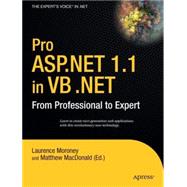
Pro ASP. NET 1. 1 in VB . NET : From Professional to Expert

by Moroney, Laurence
  • ISBN13:

    9781590593523

  • ISBN10:

    1590593529

  • eBook ISBN(s):

    9781430200222

  • Format: Paperback
  • Copyright: 2005-04-25
  • Publisher: Springer-Verlag New York Inc
  • Purchase Benefits
  • Free Shipping Icon Free Shipping On Orders Over $35!
    Your order must be $35 or more to qualify for free economy shipping. Bulk sales, PO's, Marketplace items, eBooks and apparel do not qualify for this offer.
  • eCampus.com Logo Get Rewarded for Ordering Your Textbooks! Enroll Now
List Price: $59.99 Save up to $40.19
  • Buy New
    $59.93
    Add to Cart Free Shipping Icon Free Shipping

    USUALLY SHIPS IN 2-3 BUSINESS DAYS

Summary

Pro ASP.NET 1.1 in VB.NETaims to be the definite reference for working developers in the field. Its compendium format covers every topic you are likely to come across in your day-to-day work, from handling data through to configuration and deployment.The books goal is to act firstly as a tutorial guide that can be read from cover-to-cover, then secondly as a reference book that you can scan quickly to retrieve the answer to a specific problem as you work.This comprehensive reference is ideal for seasoned ASP.NET developers who perform real work on a daily basis. This book puts to use hard-won, real-world VB .NET experience, and demonstrates it clearly through numerous diagrams, screenshots, and working code samples.

Table of Contents

About the Author xxiii
About the Editor xxv
About the Technical Reviewer xxvii
Acknowledgments xxix
Introduction xxxi
PART 1 Core Concepts
Introducing ASP.NET
3(28)
The Evolution of Web Development
4(3)
Why Do We Need a New Version of ASP?
4(3)
Seven Important Facts about ASP.NET
7(10)
ASP.NET Is Integrated with the .NET Framework
7(2)
ASP.NET Is Compiled, Not Interpreted
9(2)
ASP.NET Is Multilanguage
11(2)
ASP.NET Runs Inside the Common Language Runtime
13(1)
ASP.NET Is Multidevice and Multibrowser
14(1)
ASP.NET Is Object-Oriented
15(1)
ASP.NET Is Easy to Deploy and Configure
15(2)
A Quick Tour of ASP.NET
17(10)
HTML Server Controls
17(1)
ASP.NET Controls
18(2)
Web Forms
20(3)
Data-Bound Controls
23(1)
Web Services
24(3)
ASP.NET and Classic ASP Compared
27(2)
Summary
29(2)
Internet Information Services
31(22)
The ASP.NET Architecture
31(8)
The URL Request
31(1)
Processing Requests
32(3)
Account Security with the Worker Process
35(1)
Process Recycling
35(3)
The ASP.NET Execution Model
38(1)
Installing IIS
39(3)
Installing IIS 5
40(1)
Installing IIS 6
41(1)
Managing Websites
42(8)
Creating a Virtual Directory
43(2)
Virtual Directories and Web Applications
45(1)
Folder Settings
46(4)
Verifying the ASP.NET Installation
50(2)
Summary
52(1)
Visual Studio .NET
53(40)
Understanding .NET Development Tools
53(2)
The .NET Compilers
54(1)
The Visual Studio .NET IDE
54(1)
Creating a Website in Visual Studio .NET
55(7)
Visual Studio .NET and Virtual Directories
56(1)
Projects and Solutions
57(1)
Designing a Web Page
58(4)
The Visual Studio .NET IDE
62(13)
Solution Explorer
63(4)
Document Window
67(1)
Toolbox
67(2)
Dynamic Help and Search
69(1)
Task List
70(1)
Server Explorer
71(1)
IntelliSense and Outlining
72(3)
The Code-Behind Model
75(5)
How Code-Behind Files Are Connected to Pages
76(1)
How Control Tags Are Connected to Page Variables
77(1)
How Events Are Connected to Event Handlers
78(1)
Project Settings
78(2)
Visual Studio .NET Debugging
80(6)
Single-Step Debugging
80(3)
Variable Watches
83(1)
Resource Checking
84(1)
Debugging Problems
85(1)
Extending Visual Studio .NET
86(6)
Creating Macros
86(3)
Extending Dynamic Help
89(1)
Customizing VS .NET Using Template Policy
90(2)
Summary
92(1)
The ASP.NET Page
93(40)
Page Processing
93(11)
HTML Forms
94(2)
Dynamic Interfaces
96(1)
The ASP.NET Event Model
97(1)
Automatic Postbacks
98(2)
View State
100(4)
Web Forms Processing Stages
104(6)
Page Framework Initialization
105(1)
User Code Initialization
105(1)
Validation
105(1)
Event Handling
106(1)
Cleanup
106(1)
A Page Flow Example
107(3)
The Page as a Control Container
110(8)
Showing the Control Tree
110(5)
Dynamic Control Creation
115(3)
The Page Class
118(14)
Session, Application, and Cache
118(1)
Request
119(1)
Response
120(1)
Server
121(3)
User
124(1)
Trace
124(5)
Accessing the HTTP Context in Another Class
129(1)
Script Injection Attacks
129(1)
Request Validation
129(2)
Disabling Request Validation
131(1)
Summary
132(1)
ASP.NET Controls
133(50)
ASP.NET Server Controls
133(3)
The Server Control Hierarchy
134(2)
HTML Server Controls
136(12)
The HtmlControl Class
136(1)
The HtmlContainerControl Class
137(1)
The HtmllnputControl Class
137(1)
The HTML Server Control Classes
138(1)
Setting Style Attributes and Other Properties
139(2)
Programmatically Creating Server Controls
141(1)
Handling Server-Side Events
142(6)
ASP.NET Web Form Controls
148(9)
The Web Control Base Class
149(1)
Basic Web Control Classes
149(2)
Units
151(1)
Enumerated Values
152(1)
Colors
152(1)
Fonts
153(1)
Handling Web Control Events
154(3)
The ASP.NET List Controls
157(4)
The ListControl Class
158(1)
Using the ASP.NET List Controls
159(2)
The ASP.NET Input Validation Controls
161(13)
The Validation Controls
162(1)
The Validation Process
163(1)
The BaseValidator Class
164(1)
The RequiredFieldValidator Control
165(1)
The RangeValidator Control
166(1)
The CompareValidator Control
166(1)
The RegularExpressionValidator Control
167(3)
The CustomValidator Control
170(1)
The ValidationSummary Control
171(1)
Using the Validators Programmatically
172(2)
The ASP.NET Rich Controls
174(7)
The Calendar Control
174(2)
The AdRotator Control
176(2)
The Xml Control
178(3)
Summary
181(2)
ASP.NET Applications
183(48)
Anatomy of an ASP.NET Application
183(3)
Application Lifetime
185(1)
Application Updates
185(1)
The Global.asax Application File
186(6)
Application Events
188(3)
Demonstrating Application Events
191(1)
ASP.NET Configuration
192(13)
The Machine.config File
192(2)
The Web.config File
194(3)
Configuration Settings
197(8)
.NET Components
205(5)
Creating a Component
206(2)
Using a Component
208(2)
Extending the HTTP Pipeline
210(17)
HTTP Handlers and HTTP Modules
211(2)
Creating a Custom HTTP Handler
213(1)
Configuring a Custom HTTP Handler
214(2)
Registering HTTP Handlers Without Configuring IIS
216(1)
Creating an Advanced HTTP Handler
217(3)
Creating a Custom HTTP Module
220(3)
Extending the Configuration File Structure
223(4)
Deploying ASP.NET Applications
227(3)
Deploying a Visual Studio .NET Project
228(1)
Other Configuration Steps
229(1)
Summary
230(1)
State Management
231(42)
ASP.NET State Management
231(2)
View State
233(9)
A View State Example
234(2)
Storing Objects in View State
236(2)
Retaining Member Variables
238(1)
Assessing View State
239(2)
Making View State Secure
241(1)
Transferring Information with the Query String
242(2)
Using the Query String
243(1)
URL Encoding
243(1)
Custom Cookies
244(1)
Session State
245(8)
Session Architecture
245(2)
Using Session State
247(2)
Configuring Session State
249(4)
Application State
253(1)
Caching
254(1)
Data Caching
255(9)
A Simple Cache Test
258(1)
Cache Priorities
258(1)
Caching with Dependencies
259(2)
The Item Removed Callback
261(3)
Output Caching
264(6)
Caching and the Query String
265(1)
Caching with Specific Query String Parameters
266(1)
Custom Caching Control
267(2)
Caching with the HttpCachePolicy Class
269(1)
Fragment Caching
269(1)
Summary
270(3)
PART 2 Data Access
ADO.NET Fundamentals
273(38)
The ADO.NET Architecture
273(7)
ADO.NET Data Providers
274(2)
Fundamental ADO.NET Classes
276(1)
ADO vs. ADO.NET?
276(2)
Standardization in ADO.NET
278(2)
The ADO.NET Connection-Based Classes
280(21)
The Connection Class
281(4)
The Command and DataReader Classes
285(16)
A Database Component
301(9)
A Sample Database Component
302(6)
Testing the Component
308(2)
Summary
310(1)
Disconnected Data
311(38)
The DataSet Classes
312(4)
The DataTable Class
314(1)
The DataRow Class
314(1)
The DataView Class
315(1)
The DataAdapter Class
316(8)
Filling a DataSet
316(2)
The Repeater Control
318(2)
Working with Multiple Tables and Relationships
320(3)
Searching for Specific Rows
323(1)
The DataView Class
324(8)
Data Sorting with a DataView
324(2)
Data Filtering with a DataView
326(3)
Advanced Data Filtering with Relationships
329(1)
Calculated Columns
329(3)
Modifying the DataSet
332(4)
Editing Rows
332(1)
Adding Rows
332(1)
Deleting Rows
333(1)
DataRow Versioning
333(3)
Updating the Data in the Data Source
336(12)
Autogenerating Update Commands
337(4)
Data Conflicts and Update Events
341(1)
Using Custom Commands and Stored Procedures
342(4)
Testing the Component
346(2)
Summary
348(1)
Data Binding
349(58)
Data Binding Fundamentals
349(9)
Data Structures Supported for Data Binding
350(1)
Controls That Support Repeated Binding
350(1)
Single Value Binding
351(3)
Simple Controls for Repeated-Value Binding
354(2)
Binding to a DataReader
356(2)
The Repeater Control
358(11)
The ItemTemplate
359(2)
The DataBinder.Eval() Method
361(2)
Other Templates
363(2)
The Repeater's Events
365(4)
The DataList Control
369(13)
Selecting Items
371(3)
Editing Items
374(6)
Deleting Items
380(1)
Loading Templates Dynamically
380(2)
The DataGrid Control
382(24)
Defining Columns
383(4)
Sorting Rows
387(3)
Selecting Rows
390(2)
Paging Records
392(6)
Templated Columns
398(2)
Editing and Deleting Rows
400(4)
Advanced Customization
404(2)
Summary
406(1)
Advanced ADO.NET
407(46)
Transactions
407(9)
Transactions and ASP.NET Applications
408(4)
Isolation Levels
412(2)
Savepoints
414(1)
Nested Transactions
415(1)
Using Transactions with a DataAdapter
415(1)
Serving Images from a Database
416(5)
Displaying Binary Data
416(2)
Reading Binary Data Efficiently
418(1)
Integrating Images with Other Content
419(2)
DataSet Mapping
421(3)
Typed DataSets
424(9)
Creating a Typed DataSet in Visual Studio .NET
426(2)
Creating a Typed DataSet with XSD.exe
428(1)
Dissecting the Typed DataSet
428(3)
Using the Typed DataSet
431(2)
Advanced Grids
433(10)
A Parent/Child View
433(4)
A Parent/Child/Detail View
437(1)
Summaries in the DataGrid
438(2)
A Parent/Child View in a Single Table
440(3)
Building a Shopping Cart
443(8)
The Shopping Cart Classes
444(3)
The Test Page
447(4)
Multiple Selection
451(1)
Summary
451(2)
XML
453(40)
When Does XML Make Sense?
453(1)
An Introduction to XML
454(6)
The Advantages of XML
455(1)
Well-Formed XML
456(1)
XML Namespaces
457(1)
XML Schemas
458(2)
Working with XML in ASP.NET
460(24)
Writing XML Files
461(3)
Reading and Navigating XML Files
464(10)
Searching an XML Document
474(4)
Validating XML Files
478(2)
Transforming XML Files
480(4)
XML and ADO.NET
484(8)
Converting the DataSet to XML
485(3)
Accessing a DataSet as XML
488(2)
Executing an XML Query
490(2)
Summary
492(1)
Files and Streams
493(34)
File and Directory Classes
493(17)
The Directory and File Classes
494(2)
The Directorylnfo and Filelnfo Classes
496(2)
Working with Attributes
498(2)
Filter Files with Wildcards
500(1)
Retrieving File Version Information
500(1)
Determining Space Usage
501(2)
The Path Class
503(2)
A File Browser
505(5)
Streams
510(9)
Text Files
512(2)
Binary Files
514(1)
Making Files Safe for Multiple Users
515(4)
Serialization
519(4)
Summary
523(4)
PART 3 Security
The ASP.NET Security Infrastructure
527(18)
ASP.NET Security Processes
527(5)
Authentication
528(1)
Authorization
529(1)
Impersonation
530(1)
Encryption
530(1)
Pulling It All Together
531(1)
ASP.NET Security Events
532(5)
Authentication
533(2)
Authorization
535(2)
Secure Sockets Layer
537(6)
Understanding Certificates
537(1)
Understanding SSL
538(2)
Installing Certificates in IIS
540(1)
Encoding Information with SSL
541(2)
Summary
543(2)
Forms Authentication
545(38)
Introducing Forms Authentication
545(17)
Why Use Forms Authentication?
546(2)
Why Would You Not Use Forms Authentication?
548(1)
Why Not Implement Forms Authentication Yourself?
549(1)
The Ingredients of Forms Authentication
550(1)
Implementing Forms Authentication
550(1)
Configuring Forms Authentication
551(2)
Denying Access to Anonymous Users
553(1)
Creating the Login Page
553(9)
Advanced Credential Storage
562(15)
Hashing Passwords for Storage
562(3)
Using Other Credentials Stores
565(8)
Adding Information to the Authentication Ticket
573(4)
Cookieless Forms Authentication
577(4)
Summary
581(2)
Windows Authentication
583(18)
Introducing Windows Authentication
583(5)
Why Use Windows Authentication?
583(2)
Why Would You Not Use Windows Authentication?
585(1)
Mechanisms for Windows Authentication
585(3)
Implementing Windows Authentication
588(6)
Configuring IIS
588(2)
Configuring ASP.NET
590(1)
Denying Access to Anonymous Users
590(1)
Accessing Windows User Information
591(3)
Impersonation
594(5)
Impersonation in Windows 2000
595(1)
Configured Impersonation
596(1)
Programmatic Impersonation
596(3)
Summary
599(2)
Authorization
601(20)
URL Authorization
601(7)
Authorization Rules
602(6)
File Authorization
608(1)
Authorization Checks in Code
609(3)
Using the IslnRole() Method
609(1)
Using the PrincipalPermission Class
610(2)
Role-Based Authorization with Forms Authentication
612(5)
Creating the Data Store
612(1)
Retrieving the Role Information
613(1)
Attaching the Roles
614(3)
Protecting Non-Web-Page Resources
617(2)
Adding a File Type Mapping
617(2)
Summary
619(2)
Advanced Security
621(30)
Encrypting Data
621(18)
Understanding the .NET Cryptography Classes
622(4)
Encrypting Sensitive Data
626(8)
Encrypting the Query String
634(5)
Tracking Logged-On Users
639(4)
Reacting to Application Events
640(2)
Creating a Test Page
642(1)
Extending ASP.NET Authentication
643(5)
Custom Identity and Principal Objects
644(2)
Custom Authentication
646(2)
Summary
648(3)
PART 4 Advanced User Interface
User Controls
651(22)
User Control Basics
652(3)
User Controls in Visual Studio .NET
653(1)
Converting a Page to a User Control
654(1)
Adding Code to a User Control
655(11)
Handling Events
655(2)
Adding Properties
657(1)
Sequence of Events
658(1)
Using Custom Objects
659(3)
Adding Events
662(3)
Exposing the Inner Web Control
665(1)
Dynamically Loading User Controls
666(4)
Portal Frameworks
666(4)
Partial Page Caching
670(1)
Summary
671(2)
Custom Server Controls
673(54)
Custom Server Control Basics
673(14)
Creating a Bare-Bones Custom Control
674(2)
Using a Custom Control
676(1)
Custom Controls in Visual Studio .NET
676(3)
Creating a WebControl That Supports Style Properties
679(4)
The Rendering Process
683(1)
Adaptive Rendering
684(3)
Control State and Events
687(7)
ViewState Data
687(3)
Postback Data and Change Events
690(2)
Triggering a Postback
692(2)
Extending Existing Web Controls
694(9)
Composite Controls
694(4)
Derived Controls
698(5)
Templated Controls
703(11)
Creating a Templated Control
703(3)
Using Customized Templates
706(5)
Styles
711(3)
Creating Data Bound Controls
714(12)
The Data Items
716(2)
The Data Source
718(2)
The Data Binding Process
720(3)
Rendering the Control
723(1)
Dealing with Postbacks
724(2)
Summary
726(1)
Design-Time Support
727(30)
Design-Time Attributes
727(7)
The Properties Window
728(4)
Attributes and Inheritance
732(1)
The Toolbox Icon
732(2)
Code Serialization
734(18)
Type Converters
734(8)
Serialization Attributes
742(7)
Type Editors
749(3)
Control Designers
752(3)
A Basic Control Designer
753(2)
Summary
755(2)
JavaScript
757(28)
JavaScript Essentials
757(14)
JavaScript Events
758(2)
Script Blocks
760(9)
Rendering Script Blocks
769(2)
Custom Controls with JavaScript
771(8)
Pop-Up Windows
771(5)
Rollover Buttons
776(3)
Frames
779(4)
Frame Navigation
780(2)
Inline Frames
782(1)
Summary
783(2)
Dynamic Graphics with GDI+
785(32)
GDI+ Basics
785(13)
Simple Drawing
786(2)
Image Format and Quality
788(2)
The Graphics Class
790(2)
Using a GraphicsPath
792(2)
Pens
794(2)
Brushes
796(2)
Embedding Dynamic Graphics in a Web Page
798(10)
Passing Information to a Dynamic Graphic
799(3)
Custom Controls That Use GDI+
802(6)
Charting with GDI+
808(5)
Summary
813(4)
PART 5 Web Services
Creating Web Services
817(50)
Web Services Overview
817(1)
The History of Web Services
818(9)
Distributed Computing and Web Services
819(1)
The Problems with Distributed Component Technologies
820(1)
The Benefits of Web Services
821(2)
Making Money with Web Services
823(1)
The Web Service Stack
823(4)
Building a Basic Web Service
827(10)
The Web Service Class
827(1)
Web Service Requirements
828(2)
Exposing a Web Service
830(4)
Testing a Web Service
834(3)
Consuming a Web Service
837(17)
The Proxy Class
845(1)
Creating an ASP.NET Client
846(3)
Creating a Windows Forms Client
849(2)
Creating an ASP Client with MSXML
851(2)
Creating an ASP Client with the SOAP Toolkit
853(1)
Refining a Web Service
854(11)
MessageName
855(1)
CacheDuration
856(3)
EnableSession
859(3)
BufferResponse
862(1)
TransactionOption
863(2)
Summary
865(2)
Web Service Standards and Extensions
867(42)
SOAP
867(23)
SOAP Encoding
868(1)
Tracing SOAP Messages
869(3)
The SOAP Envelope
872(5)
The SOAP Header
877(4)
Encoding Complex Data Types
881(6)
Shaping the XML of Complex Data Types
887(3)
SOAP Extensions
890(11)
Creating a SOAP Extension
892(9)
WSDL
901(7)
Viewing the WSDL for a Web Service
901(2)
The Basic Structure
903(5)
Summary
908(1)
Advanced Web Services
909(32)
Asynchronous Calls
909(10)
The Proxy Class
910(1)
A Simple Asynchronous Call
911(3)
Concurrent Asynchronous Calls
914(2)
Responsive Windows Clients
916(2)
Asynchronous Services
918(1)
Securing Web Services
919(9)
Windows Authentication
919(3)
Custom Ticket-Based Authentication
922(1)
Tracking the User Identity
923(1)
Authenticating the User
924(2)
Authorizing the User
926(1)
Testing the SOAP Authentication System
927(1)
The Web Services Enhancements
928(11)
Installing the WSE
930(1)
Performing Authentication with the WSE
931(6)
Sending a Web Service Attachment
937(2)
Summary
939(2)
Index 941

Supplemental Materials

What is included with this book?

The New copy of this book will include any supplemental materials advertised. Please check the title of the book to determine if it should include any access cards, study guides, lab manuals, CDs, etc.

The Used, Rental and eBook copies of this book are not guaranteed to include any supplemental materials. Typically, only the book itself is included. This is true even if the title states it includes any access cards, study guides, lab manuals, CDs, etc.

Rewards Program